lol-cal
lol-cal
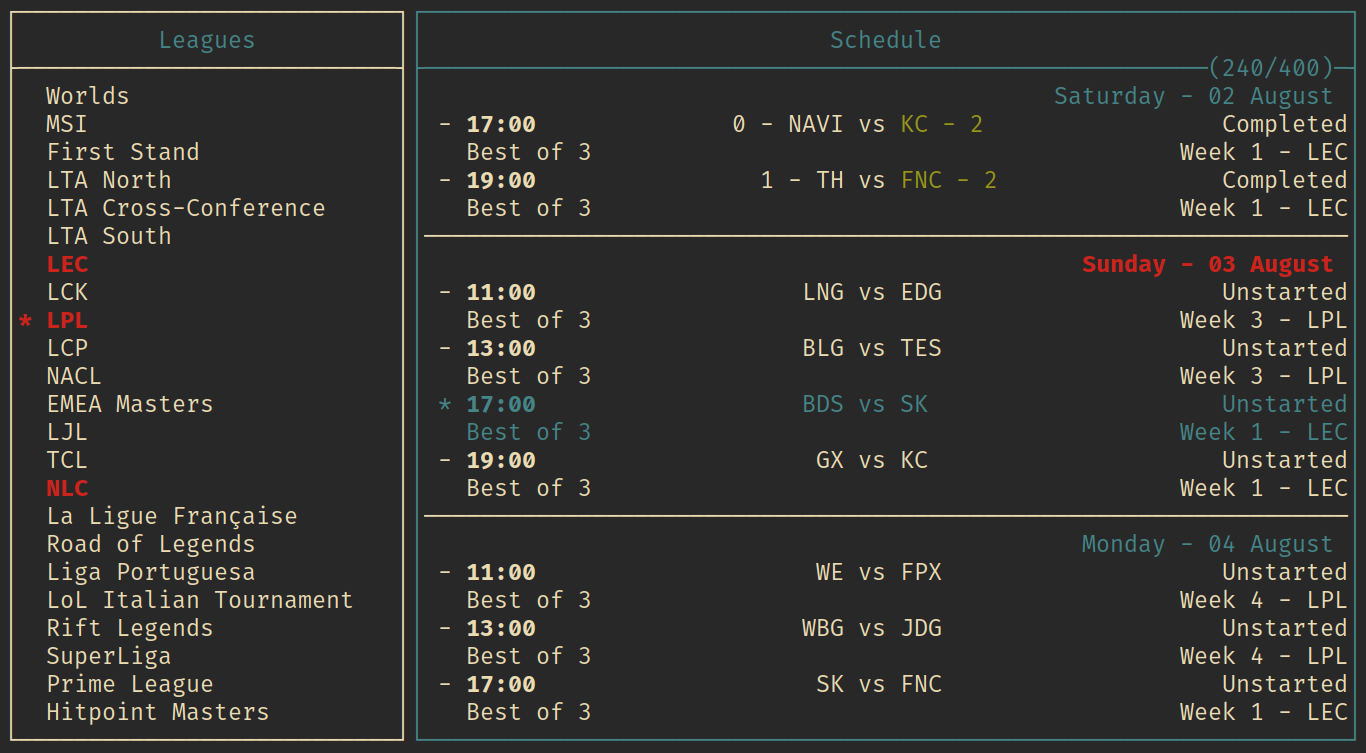
I found the lolesports schedule site to be slow, filled with unnecessary information and cumbersome to use, so I made a terminal interface for it instead. The program fetches data from the lolesports backend, and displays it in a customizable TUI. All data is cached and is only reacquired when it is necessary, keeping outbounding requests to a minimum.
config
The program looks for a config file at $XDG_CONFIG_HOME/lol-cal/config on linux. Windows and macOS are also theoretically supported, though they are untested. The config file has ini-like syntax. Following are the configurable settings, and an example config.
settings
+------------------+---------+-------------------------------------------------+
| setting          | default | description                                     |
+------------------+---------+-------------------------------------------------+
| default_leagues  | NONE    | a comma separated list of leagues that are      |
|                  |         | loaded on entry, Ex: LEC, LPL, LTA North        |
+------------------+---------+-------------------------------------------------+
| spoil_results    | false   | shows the results of completed matches,         |
|                  |         | can be toggled with a keybind                   |
+------------------+---------+-------------------------------------------------+
| spoil_matches    | true    | show the names of teams in unplayed matches,    |
|                  |         | can be toggled with a keybind                   |
+------------------+---------+-------------------------------------------------+
| automatic_reload | true    | automatically fetch data when a league is       |
|                  |         | selected, can be turned off and manually        |
|                  |         | fetched with a keybind                          |
+------------------+---------+-------------------------------------------------+
keybindings
+-----------+--------------------+------------------------------------------+
| key       | default            | description                              |
+-----------+--------------------+------------------------------------------+
| q         | Quit               | exit the program                         |
| up / k    | Up                 | navigate up                              |
| down / j  | Down               | navigate down                            |
| left / h  | Left               | navigate left                            |
| right / l | Right              | navigate right                           |
| space     | Select             | select the selected item                 |
| Ctrl-g    | GotoToday          | select the first upcoming match          |
| Ctrl-s    | ToggleSpoilResults | toggles the spoiling of results          |
| Shift-s   | ToggleSpoilMatches | toggles the spoiling of unplayed matches |
+-----------+--------------------+------------------------------------------+
style
+-----------+------------+-------------------------------------+
| style     | default    | description                         |
+-----------+------------+-------------------------------------+
| border    | plain      | border style, one of:               |
|           |            | plain, rounded, double, thick, none |
+-----------+------------+-------------------------------------+
| default   | white      | default foreground color            |
+-----------+------------+-------------------------------------+
| highlight | blue       | highlight color                     |
+-----------+------------+-------------------------------------+
| winner    | bold green | winner color                        |
+-----------+------------+-------------------------------------+
| loser     | red        | loser color                         |
+-----------+------------+-------------------------------------+
| selected  | bold red   | selected color                      |
+-----------+------------+-------------------------------------+
colors
Colors are either the name of a standard 4-bit terminal color, listed below, or a 256-bit hex color code, Ex: #45f3a2. Colors can also be modified with the "bold" tag.
+---------------------+
| 4-bit colors        |
+---------------------+
| black               |
| red                 |
| green               |
| yellow              |
| blue                |
| magenta             |
| cyan                |
| gray                |
| bright black        |
| bright red          |
| bright green        |
| bright yellow       |
| bright blue         |
| bright magenta      |
| bright cyan         |
| white               |
+---------------------+
example config file
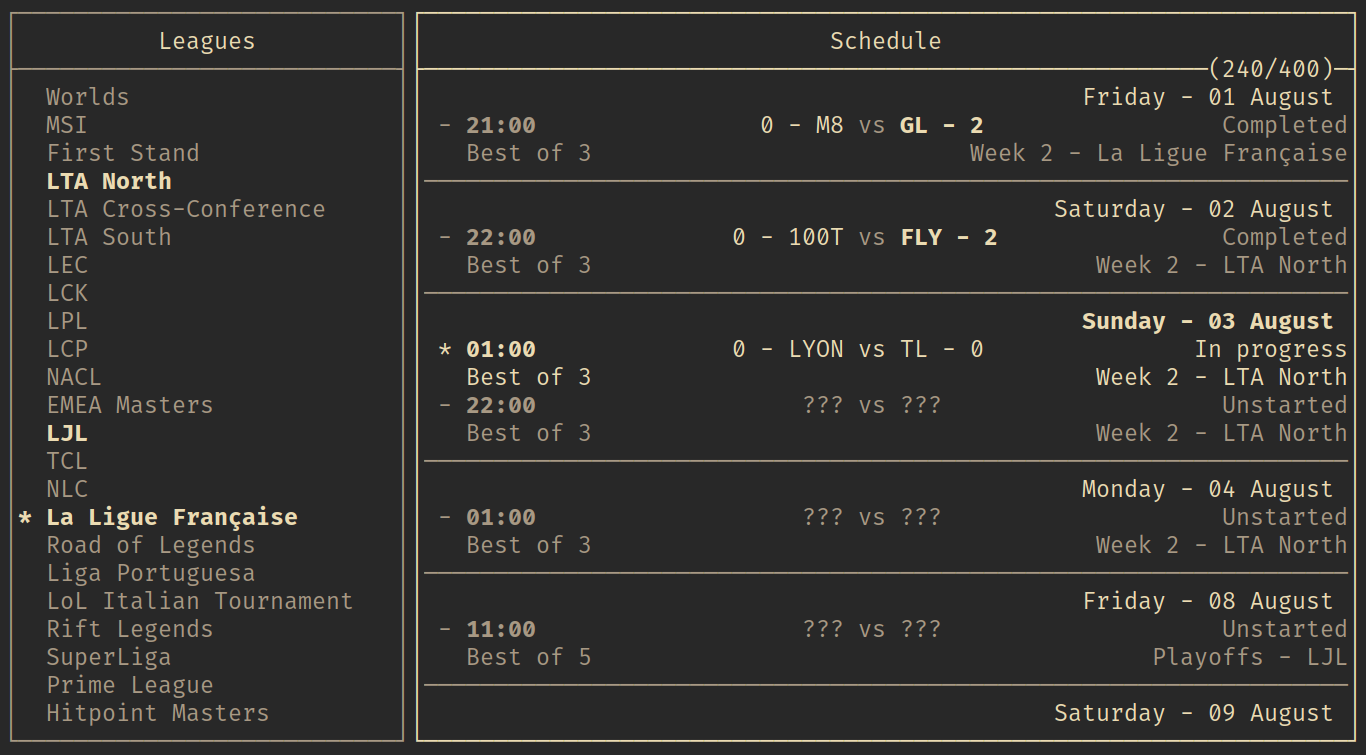
[settings]
default_leagues = LEC, LPL, LTA North
spoil_results = yes
spoil_matches = yes
automatic_reload = true

[keybindings]
q = Quit
Ctrl-d = Quit
Ctrl-c = Quit

Ctrl-g = GotoToday
Ctrl-s = ToggleSpoilResults
Shift-s = ToggleSpoilMatches

r = ReloadSchedule

k = Up
j = Down
h = Left
l = Right
space = Select

[style]
border = plain
default = gray
highlight = white on black
winner = bold white
loser = white
selected = bold white
TODO
- make a command line interface for scripting
- make a standings tab to view tournament/league standings
- more flexible layout options?
- a selected match field / area?
- export to calendar format?
- man page for better documentation