lol-cal
terminal lolesports schedule viewer
git clone https://jhhm.no/repos/lol-cal.git
lol-cal/README.md
get raw file: README.md
1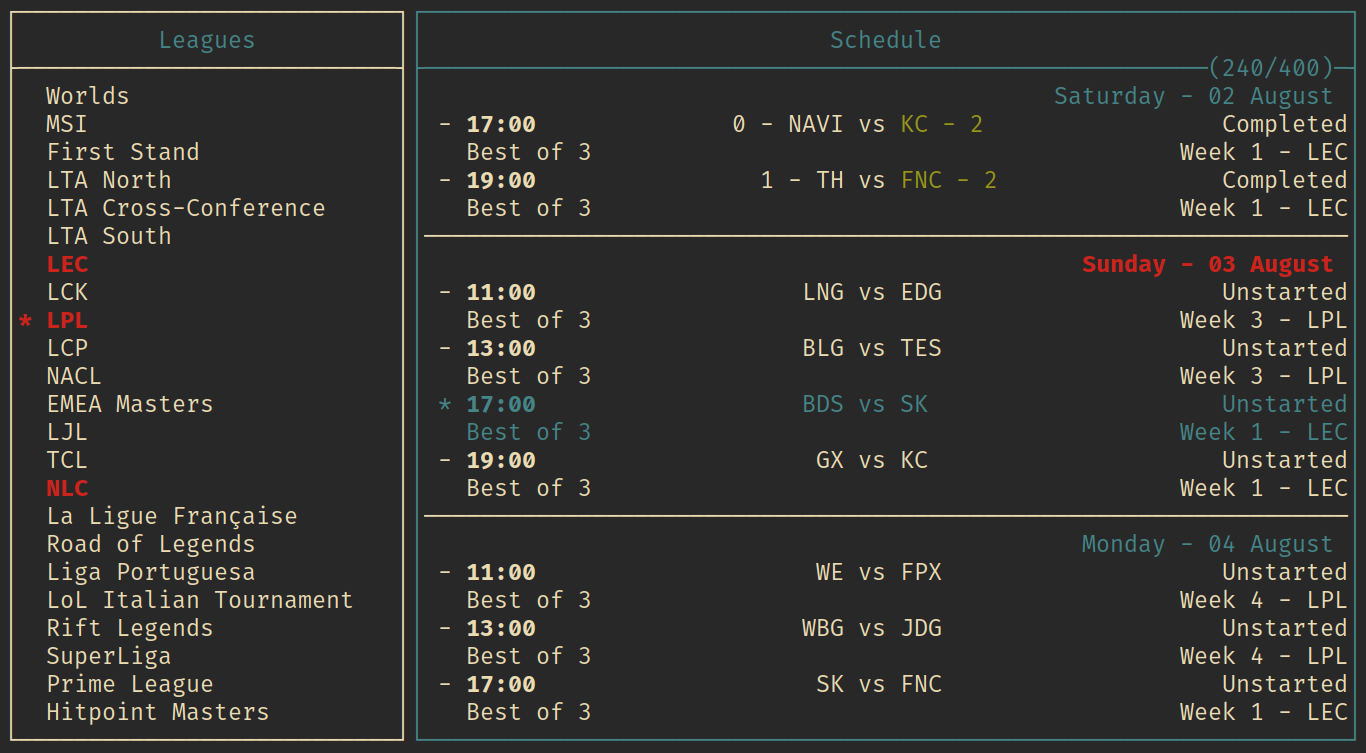 2 3# lol-cal 4 5I found the lolesports schedule site to be slow, filled with unnecessary information 6and cumbersome to use, so I made a terminal interface for it instead. 7The program fetches data from the lolesports backend, and displays it in a customizable TUI. 8All data is cached and is only reacquired when it is necessary, keeping outbounding requests to a minimum. 9 10## config 11The program looks for a config file at ```$XDG_CONFIG_HOME/lol-cal/config``` on linux. 12Windows and macOS are also theoretically supported, though they are untested. 13The config file has ini-like syntax. Following are the configurable settings, and an example config. 14 15### settings 16```text 17+------------------+---------+-------------------------------------------------+ 18| setting | default | description | 19+------------------+---------+-------------------------------------------------+ 20| default_leagues | NONE | a comma separated list of leagues that are | 21| | | loaded on entry, Ex: LEC, LPL, LTA North | 22+------------------+---------+-------------------------------------------------+ 23| spoil_results | false | shows the results of completed matches, | 24| | | can be toggled with a keybind | 25+------------------+---------+-------------------------------------------------+ 26| spoil_matches | true | show the names of teams in unplayed matches, | 27| | | can be toggled with a keybind | 28+------------------+---------+-------------------------------------------------+ 29| automatic_reload | true | automatically fetch data when a league is | 30| | | selected, can be turned off and manually | 31| | | fetched with a keybind | 32+------------------+---------+-------------------------------------------------+ 33``` 34 35### keybindings 36```text 37+-----------+--------------------+------------------------------------------+ 38| key | default | description | 39+-----------+--------------------+------------------------------------------+ 40| q | Quit | exit the program | 41| up / k | Up | navigate up | 42| down / j | Down | navigate down | 43| left / h | Left | navigate left | 44| right / l | Right | navigate right | 45| space | Select | select the selected item | 46| Ctrl-g | GotoToday | select the first upcoming match | 47| Ctrl-s | ToggleSpoilResults | toggles the spoiling of results | 48| Shift-s | ToggleSpoilMatches | toggles the spoiling of unplayed matches | 49+-----------+--------------------+------------------------------------------+ 50``` 51 52### style 53```text 54+-----------+------------+-------------------------------------+ 55| style | default | description | 56+-----------+------------+-------------------------------------+ 57| border | plain | border style, one of: | 58| | | plain, rounded, double, thick, none | 59+-----------+------------+-------------------------------------+ 60| default | white | default foreground color | 61+-----------+------------+-------------------------------------+ 62| highlight | blue | highlight color | 63+-----------+------------+-------------------------------------+ 64| winner | bold green | winner color | 65+-----------+------------+-------------------------------------+ 66| loser | red | loser color | 67+-----------+------------+-------------------------------------+ 68| selected | bold red | selected color | 69+-----------+------------+-------------------------------------+ 70``` 71 72#### colors 73Colors are either the name of a standard 4-bit terminal color, listed below, or a 256-bit hex color code, Ex: ```#45f3a2```. 74Colors can also be modified with the "bold" tag. 75 76```text 77+---------------------+ 78| 4-bit colors | 79+---------------------+ 80| black | 81| red | 82| green | 83| yellow | 84| blue | 85| magenta | 86| cyan | 87| gray | 88| bright black | 89| bright red | 90| bright green | 91| bright yellow | 92| bright blue | 93| bright magenta | 94| bright cyan | 95| white | 96+---------------------+ 97``` 98 99### example config file 100 101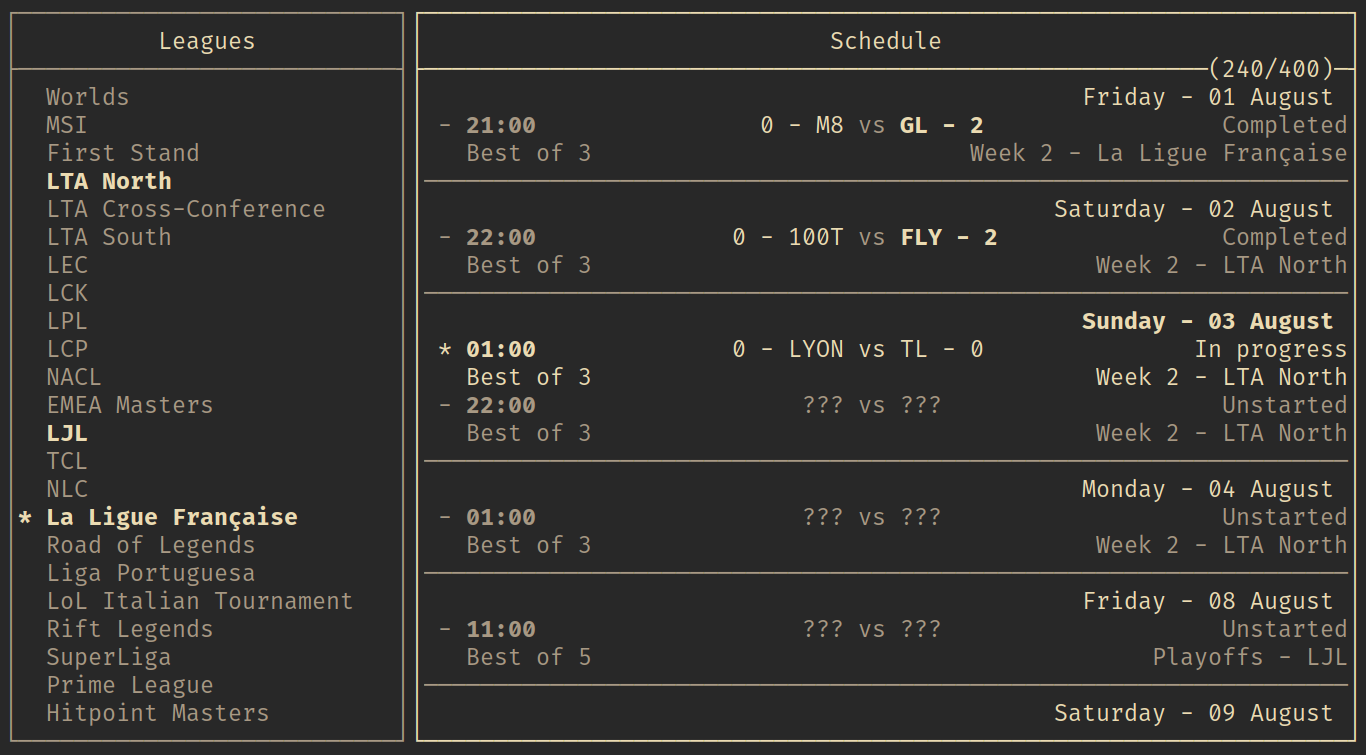 102 103```ini 104[settings] 105default_leagues = LEC, LPL, LTA North 106spoil_results = yes 107spoil_matches = yes 108automatic_reload = true 109 110[keybindings] 111q = Quit 112Ctrl-d = Quit 113Ctrl-c = Quit 114 115Ctrl-g = GotoToday 116Ctrl-s = ToggleSpoilResults 117Shift-s = ToggleSpoilMatches 118 119r = ReloadSchedule 120 121k = Up 122j = Down 123h = Left 124l = Right 125space = Select 126 127[style] 128border = plain 129default = gray 130highlight = white on black 131winner = bold white 132loser = white 133selected = bold white 134``` 135 136## TODO 137- make a command line interface for scripting 138- make a standings tab to view tournament/league standings 139- more flexible layout options? 140- a selected match field / area? 141- export to calendar format? 142- man page for better documentation